Offline Exam Grading for Teachers

Grade 100 Exams in 60 Seconds

Scan Exam sheets, process results instantly, and keep every student record on your own computer. No cloud upload. No recurring complexity.

Digitally signed installer. Virus scanned. No tracking or ads. Version 1.0.0 Last updated: 2026-03-01

Works 100% Offline

Windows Desktop App

One-Time Pro Purchase

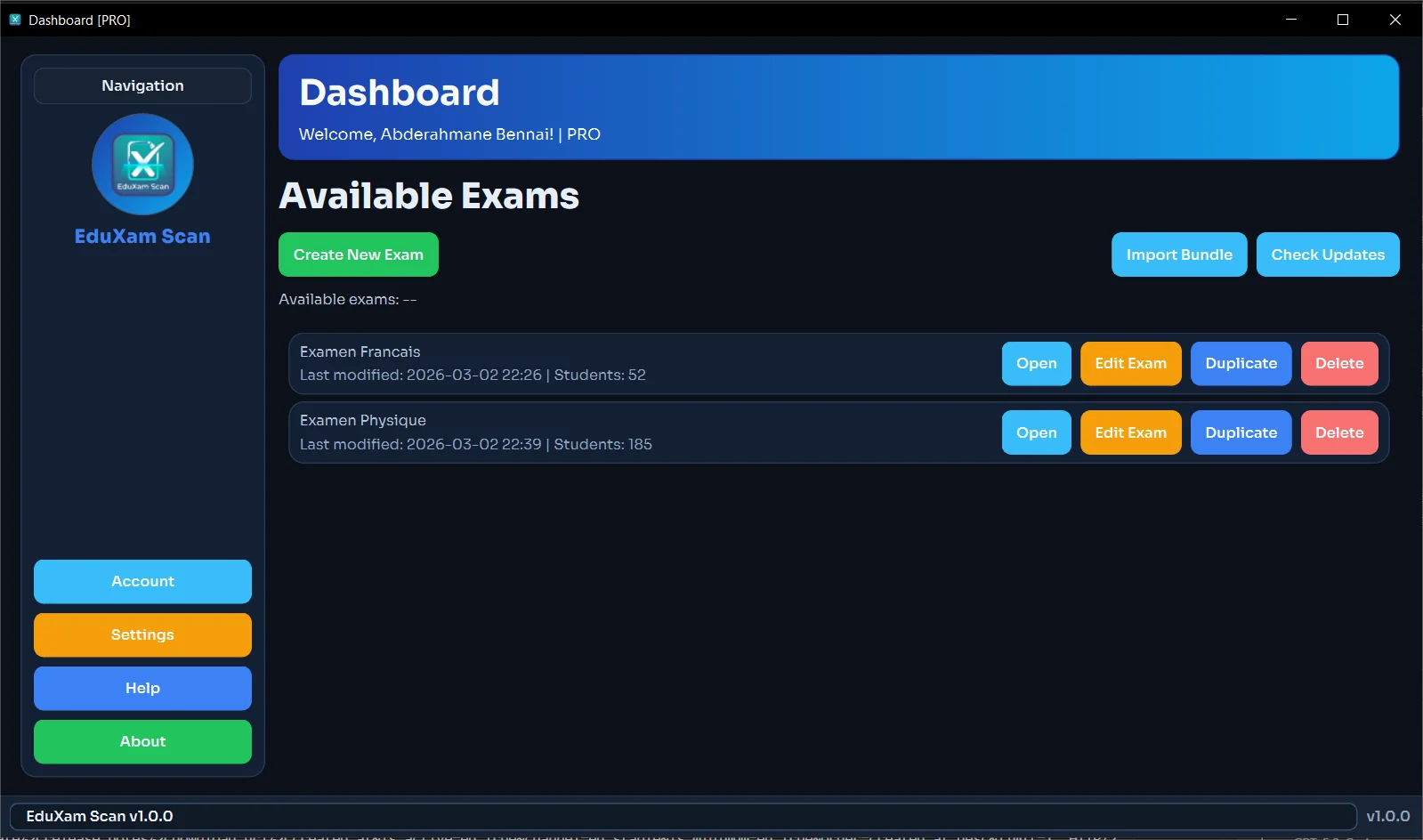
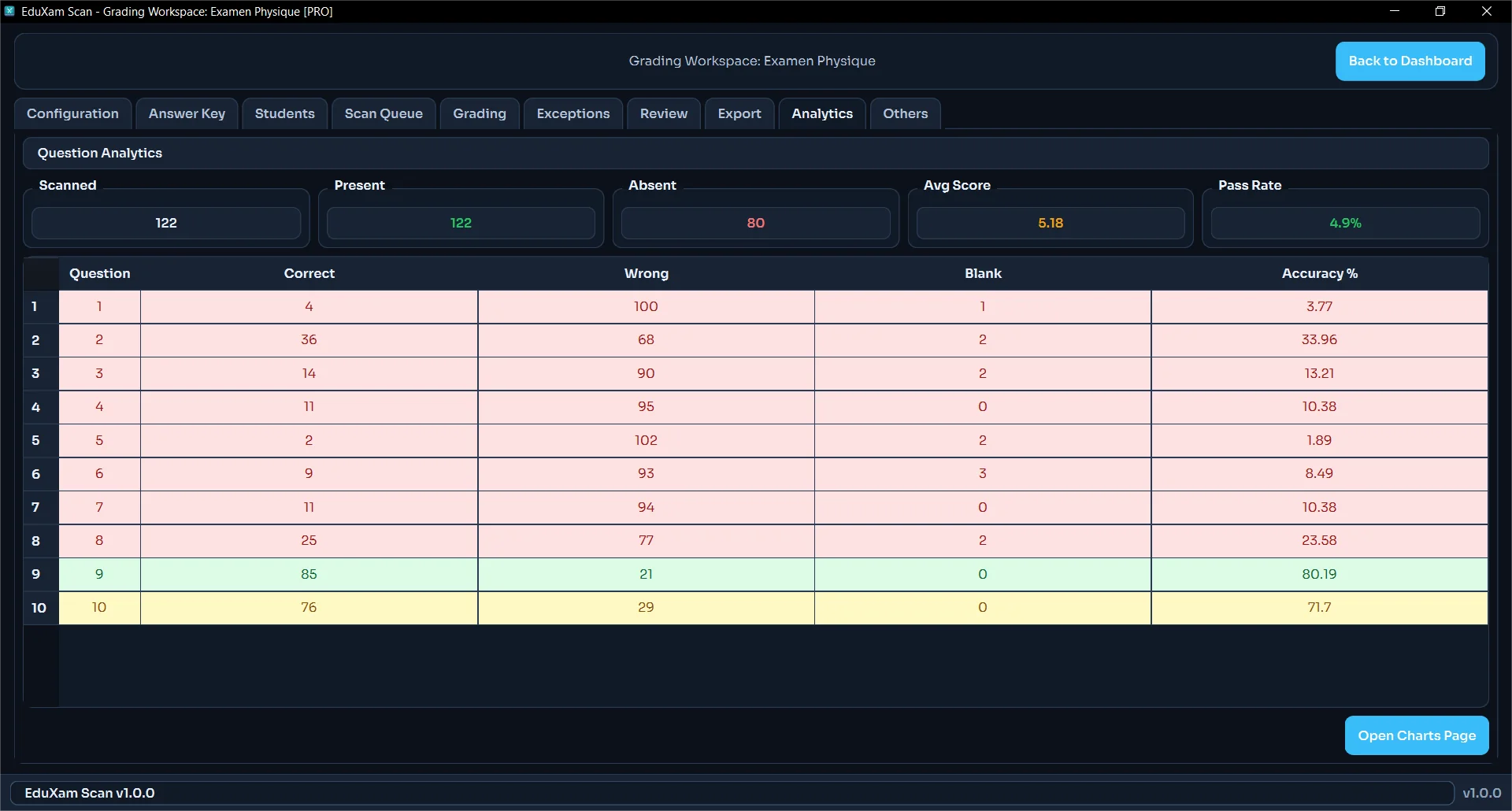
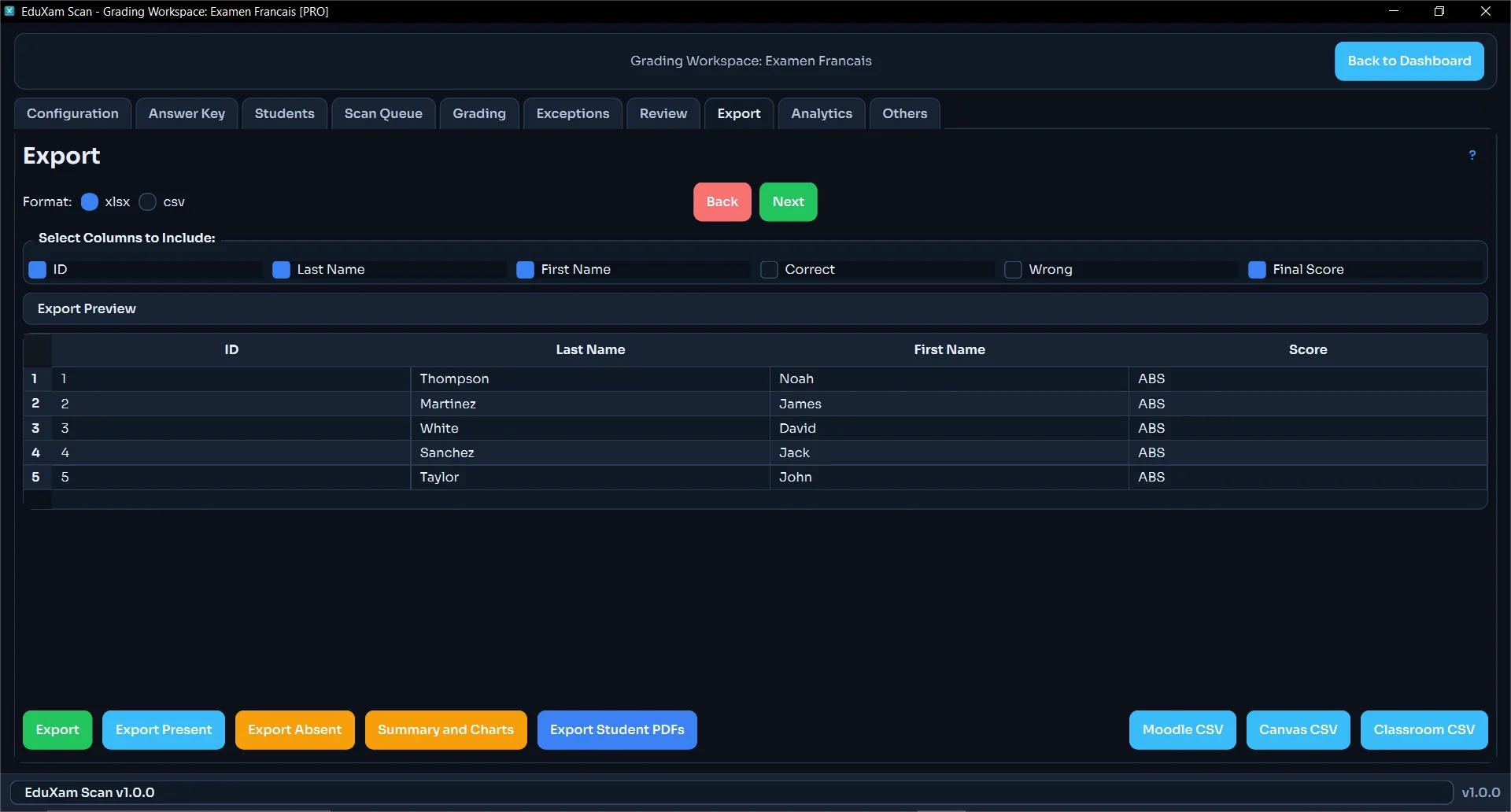
Live Grading Preview

Desktop
EduXam Scan app preview

Real preview from the EduXam Scan desktop app.

Core Features

Built for real classrooms, not cloud dashboards

Use All Standard Paper Forms

Print exam answer sheets on regular A4 or Letter paper. No proprietary cards, no expensive scanning hardware.

100% Offline Privacy

Student data never leaves your device. Perfect for schools with strict privacy requirements and limited internet.

Instant Analytics

See per-question performance and export clean grade reports to CSV for rapid review and decision making.

Features

Full grading workflow, from template to export

A

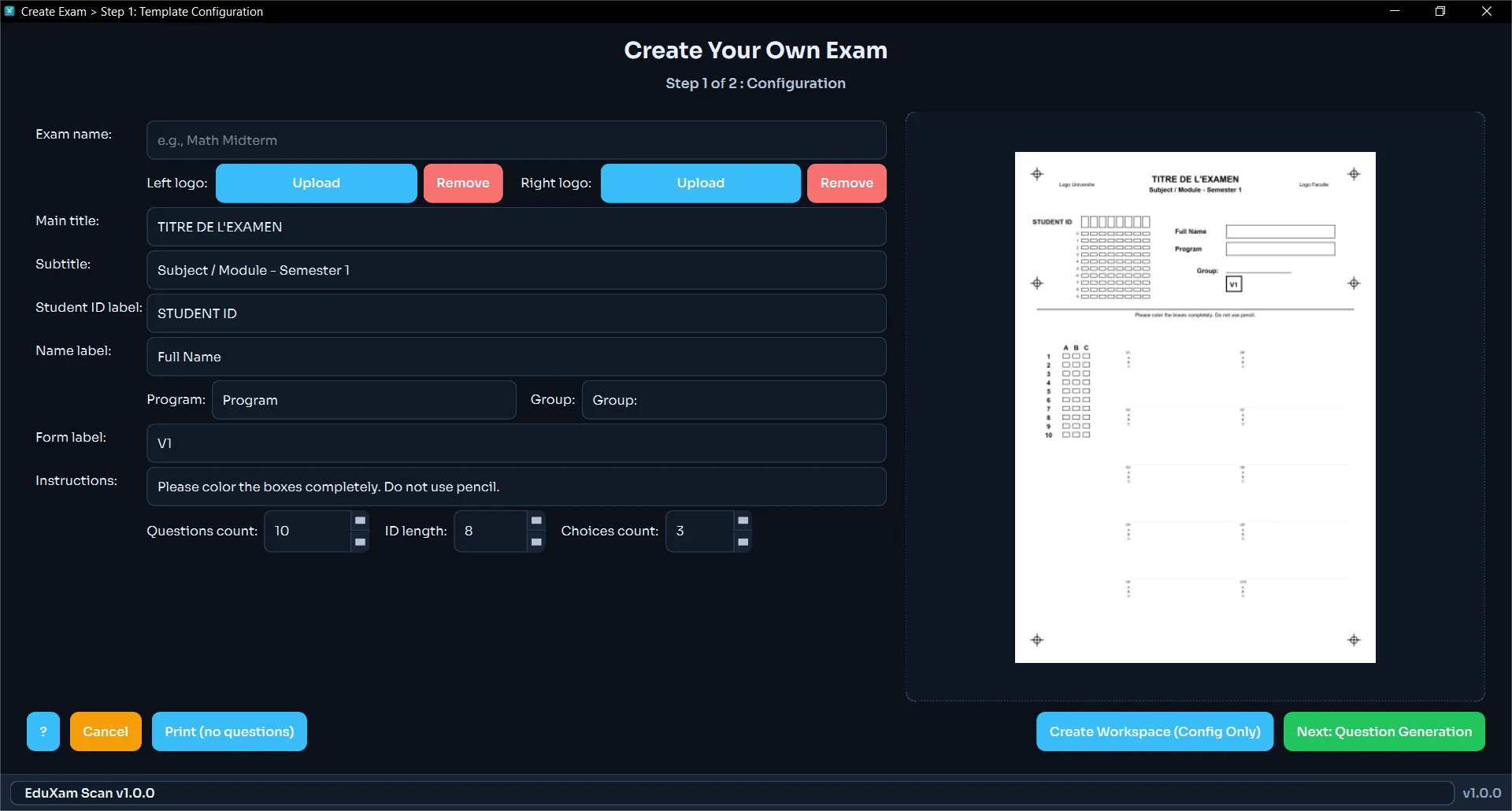
Template & exam creation

  • Custom branded OMR templates (logos, titles, labels, instructions)
  • Flexible configuration for question count, choices (2–5), and student ID length
  • Live preview while designing your sheets
  • Export templates as PDF and Word/RTF for easy printing
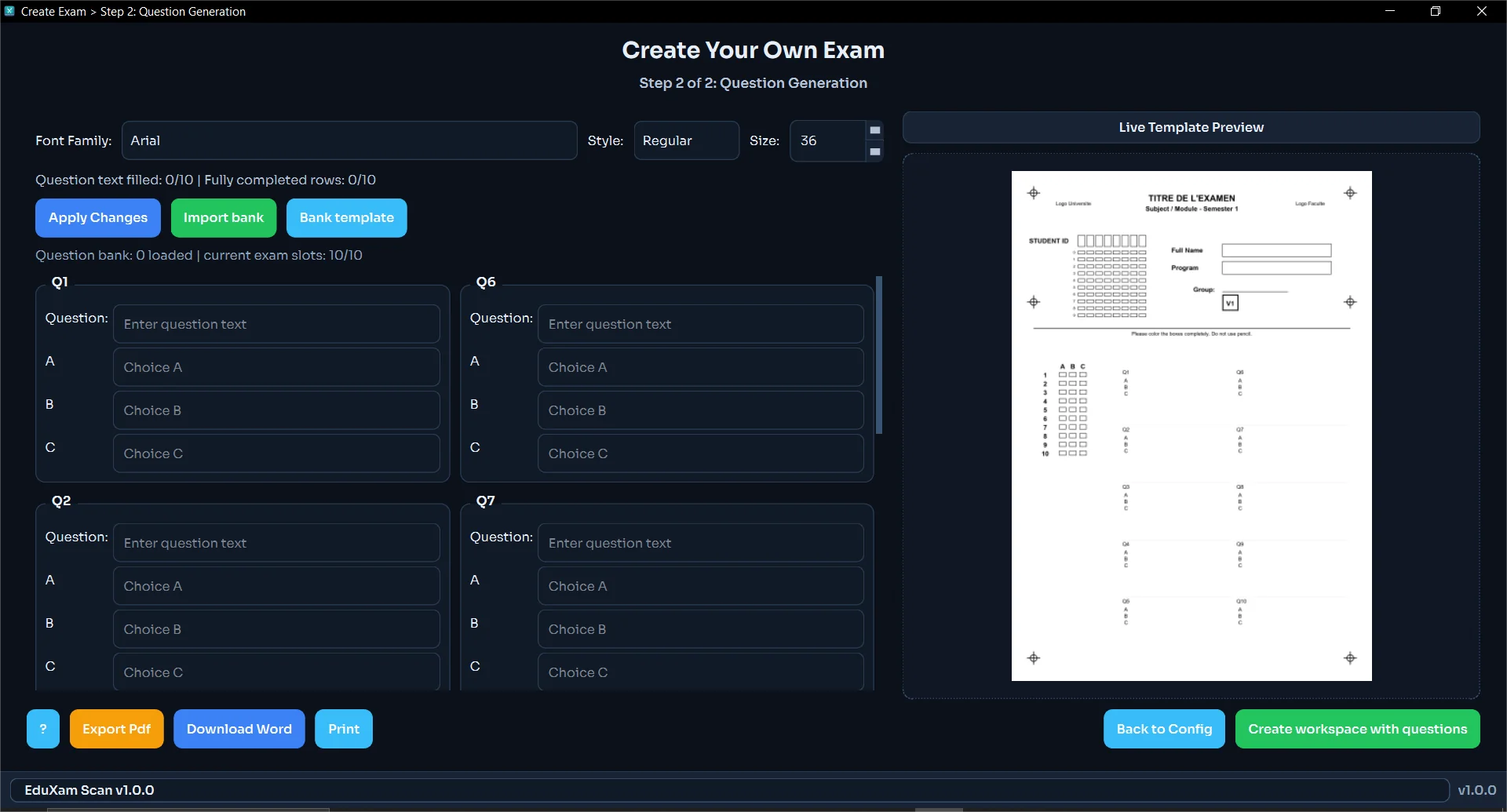
  • Question generation with a guided step-by-step exam setup
  • Question bank import (CSV/XLSX/JSON) with bank template export
  • Random or manual selection with quick re-randomization
  • Edit existing exams without rebuilding everything from scratch

B

Multi-form security

  • A/B/C forms generation for the same exam
  • Separate answer key per form to discourage cheating

C

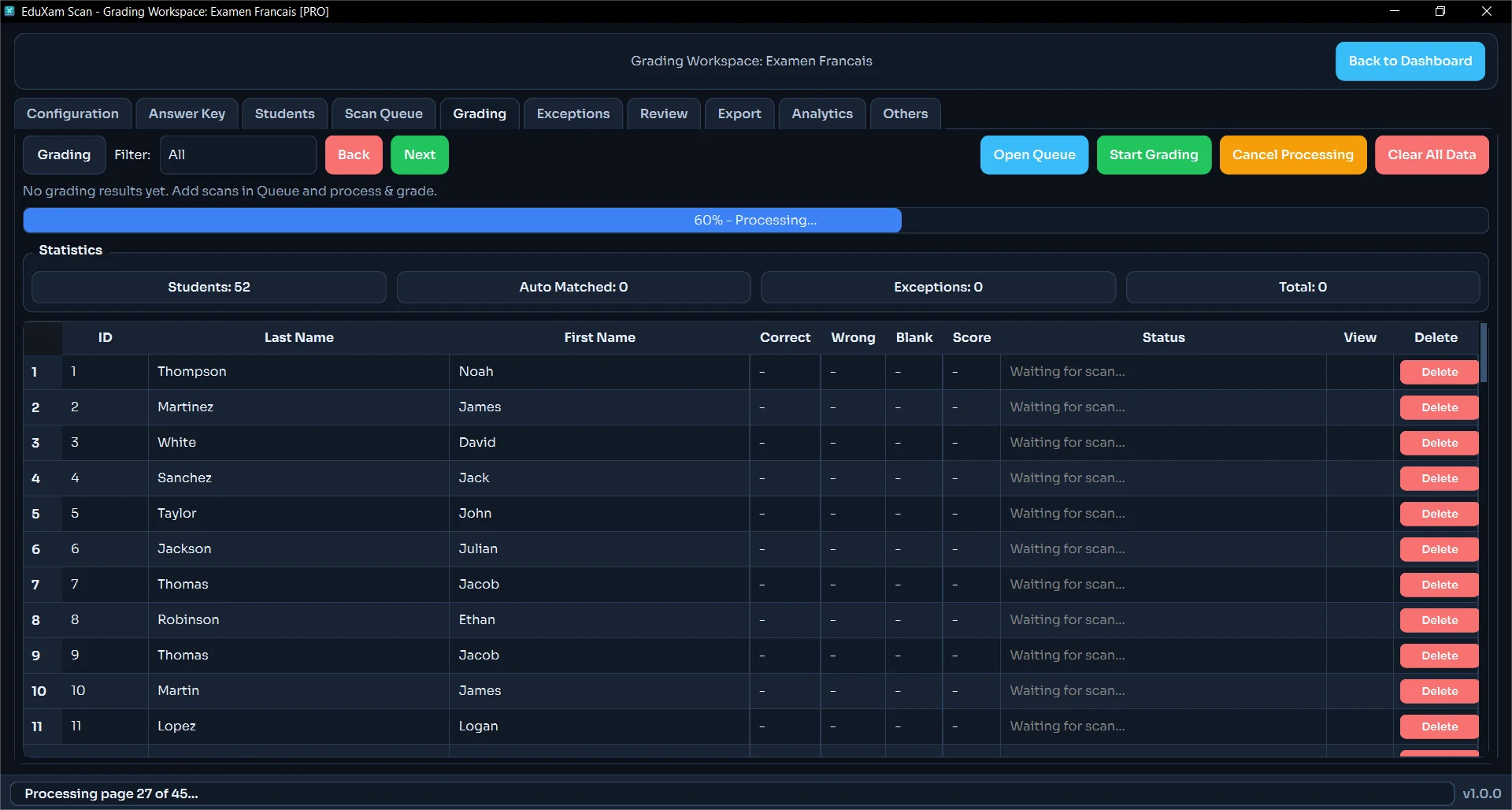
Scanning & processing

  • Import scans from PDF and JPG/JPEG/PNG
  • Queue management for batch processing and progress tracking
  • Automatic alignment using anchors, including upside-down handling
  • Student ID bubble reading with “?” for unknown or unreadable IDs

D

Grading logic

  • Answer key per form with save, load, export, and clear options
  • Penalty points and question weights for custom scoring rules
  • Partial credit ratios for complex questions
  • Confidence thresholds for scans and per-question decisions

E

Review, exceptions & audit

  • Review detected answers with confidence scores and flags
  • Mark answers as blank or doubt, override answers, and save review changes
  • Exception categories for low confidence, multiple marks, ID failure, and alignment failure
  • Manual crop regrade for problematic regions on the sheet

F

Analytics

  • Question statistics for difficulty, discrimination, blanks, and wrong answers
  • Class performance overview with average, median, standard deviation, and score distribution
  • Exportable analytics report for sharing or archiving

G

Export & reporting

  • Export results to Excel, CSV, and PDF
  • Export presets (official, raw, summary, custom) to match your workflow
  • Export history so you can quickly re-open past batches

Pro Activation

Ready to speed up exam grading this week?

Download the trial first, then upgrade to Pro when your team is ready.

For activation keys, contact me directly by email at:

eduxamscan@gmail.com

Include your full name and purchase details to get your activation key quickly.

What Pro Unlocks

  • Everything in Trial, unlocked for production use
  • Local export workflow for full exam batches
  • License key activation backed by Supabase
  • Direct activation support by email

FAQ

Does EduXam Scan require internet during grading?

No. Grading runs locally on your computer. Internet is only needed when downloading or purchasing.

How do I get the installer?

Use Download Trial to get the desktop setup file. Use Buy Pro to jump to the Pro section, then send your activation email.

Can schools keep student data private?

Yes. Student answer data and exported grades stay on local storage unless the school chooses to move them elsewhere.