Step 01
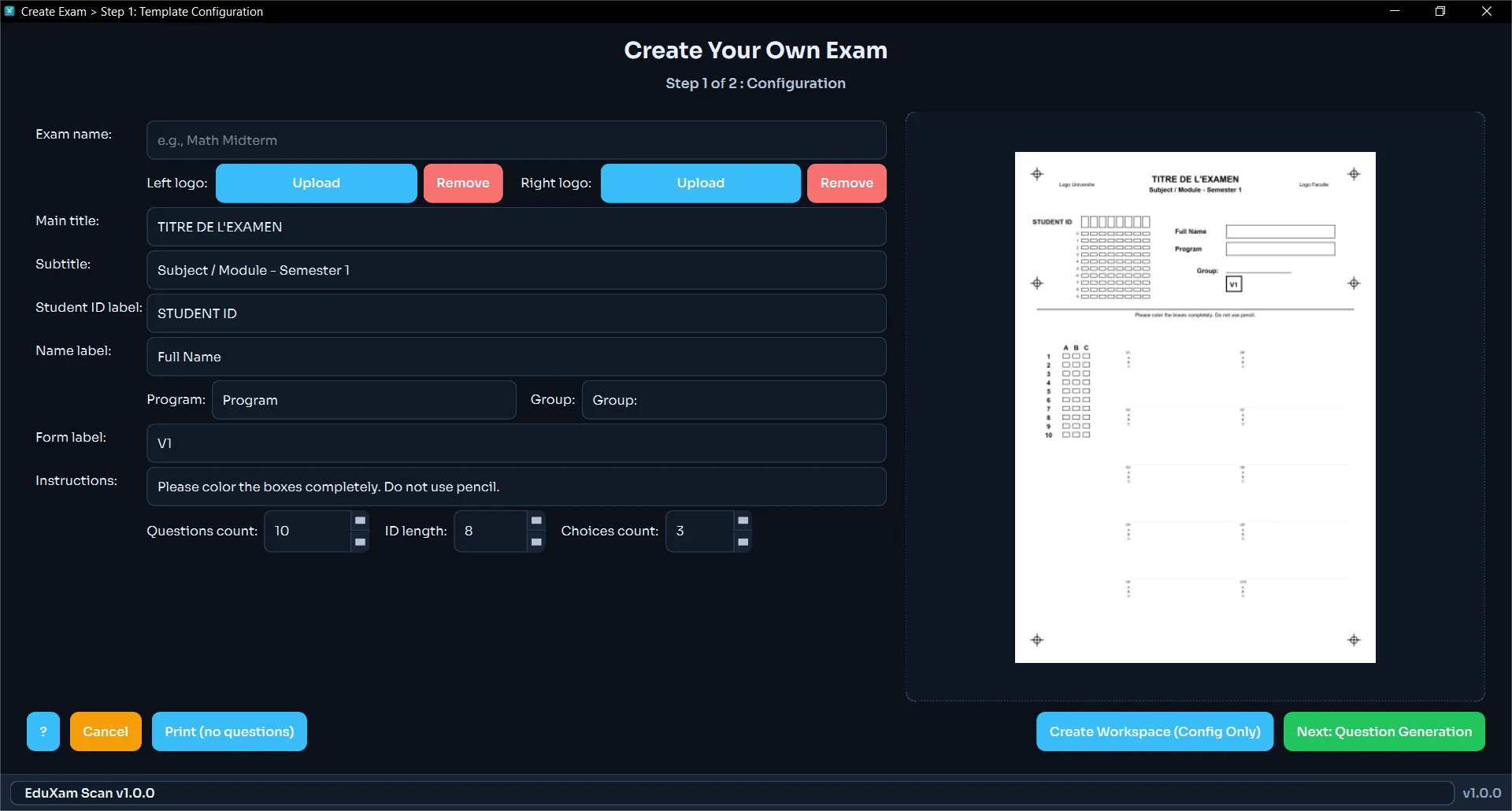
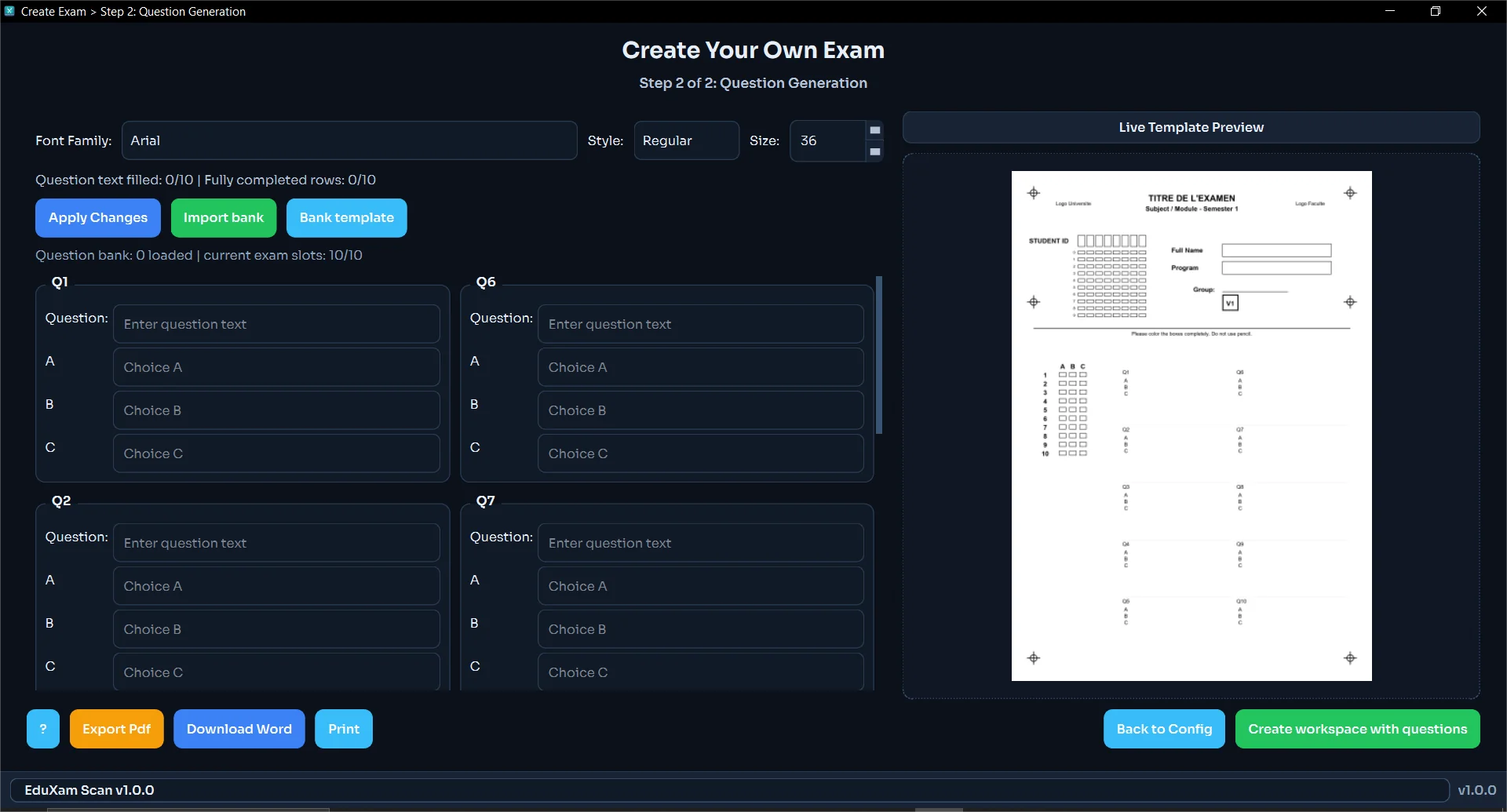
Create answer-sheet templates
Set question count, answer choices, school branding, and student ID rules.
Built for Schools and Teachers
EduXam Scan helps your team scan answer sheets, review exceptions, and export class reports from one Windows desktop app.
100% Offline Processing
No Cloud Upload Required
Excel, CSV and PDF Reports
See the full classroom workflow: setup, grading, review, and export.
How It Works
Step 01
Set question count, answer choices, school branding, and student ID rules.
Step 02
Create A/B/C versions with separate answer keys and optional weighted scoring.
Step 03
Load from Excel or paste directly, with duplicate checks built in.
Step 04
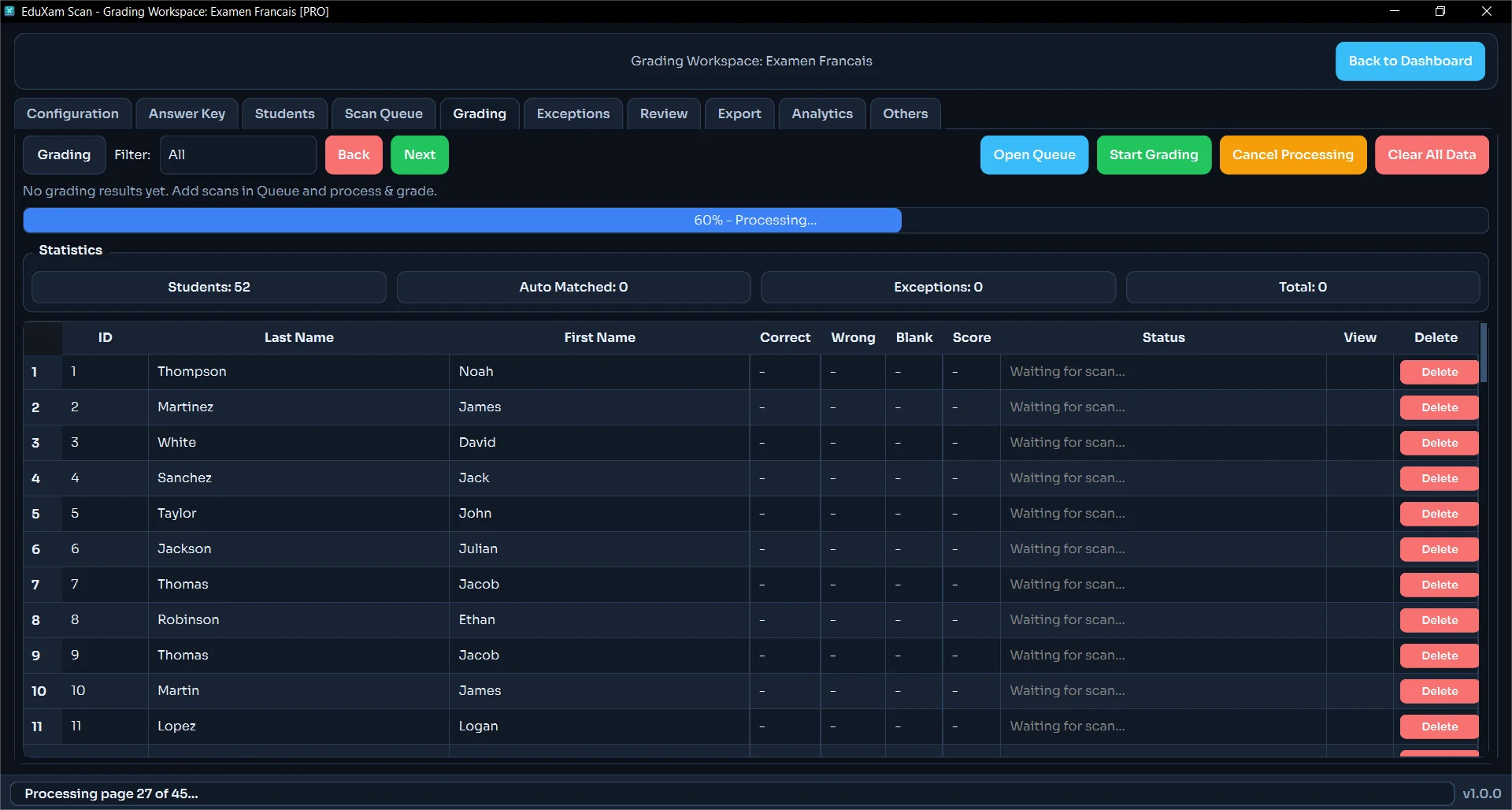
Import PDFs or images and verify copy counts before grading.
Step 05
Match sheets to students and flag unknown IDs or low-confidence marks.
Step 06
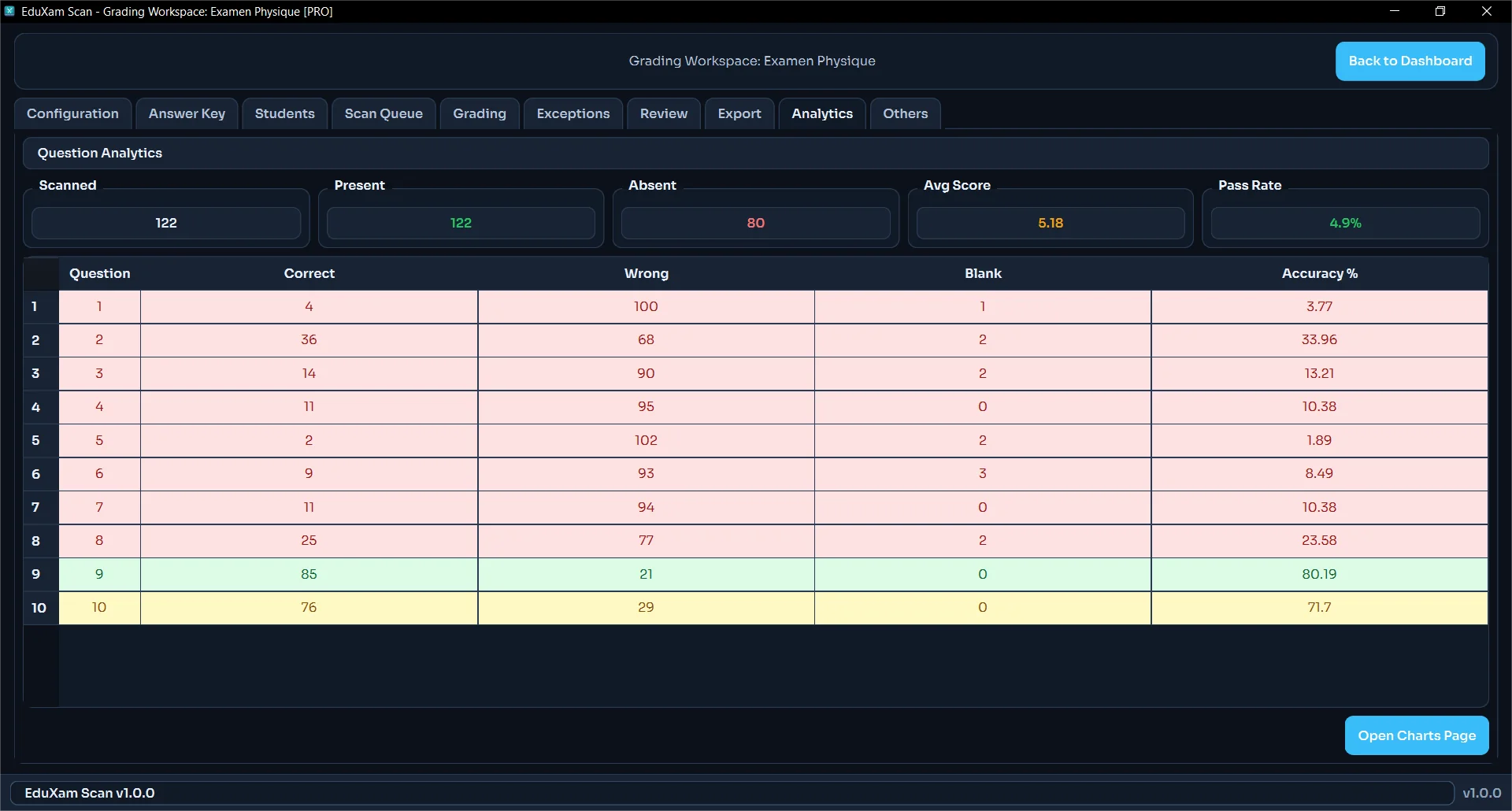
Quickly correct doubtful answers and regrade only affected sheets.
Step 07
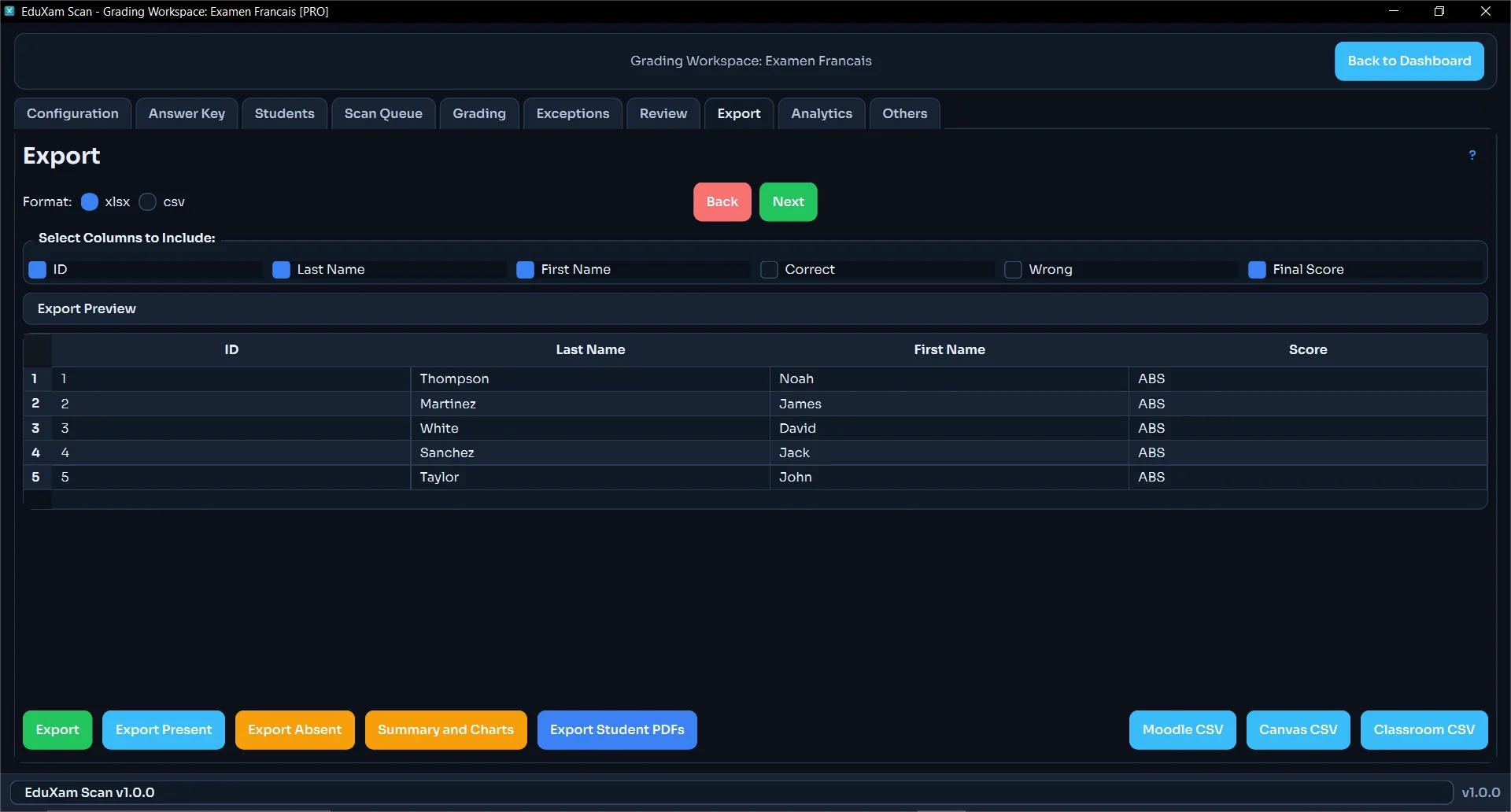
Generate clean Excel, CSV, and PDF outputs for teachers, coordinators, and school leadership.
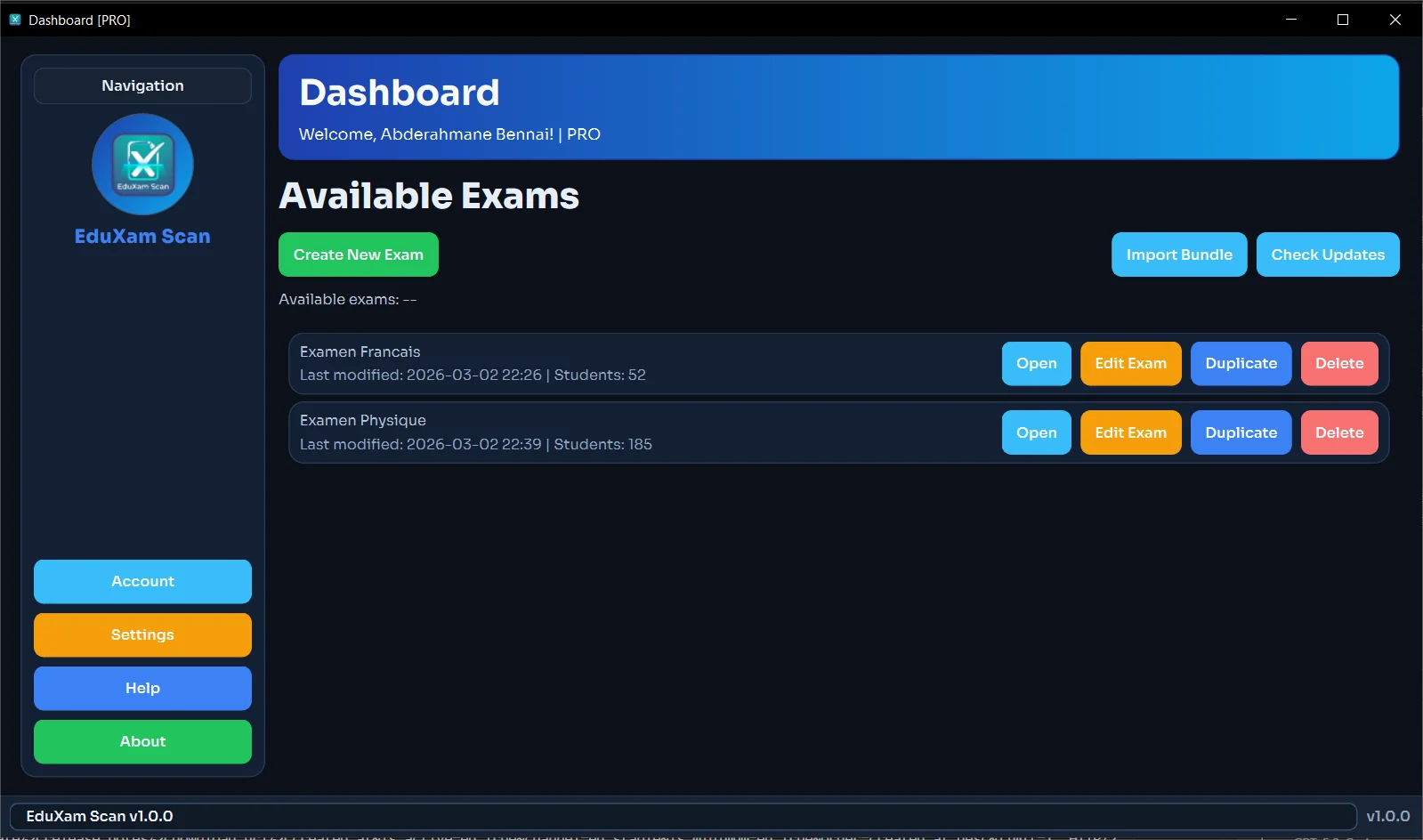
Screens
Open any screenshot to view full size.
Outcomes
Time Savings
Up to 10x Faster
Reduce grading time significantly for large classes.
Data Privacy
Local-First
Student records stay on school-managed devices.
Consistency
More Reliable
Exception workflows help improve grading consistency.
Ready for a live trial at your school?
Use your real exams, class lists, and scanners to validate speed and accuracy before full rollout.